Guides / Reference
Copper pours
A pour floods spare board area with copper on one net, usually ground. This page covers creating one, reshaping it, and the settings that keep pads solderable.
Pour
- Start from a pad
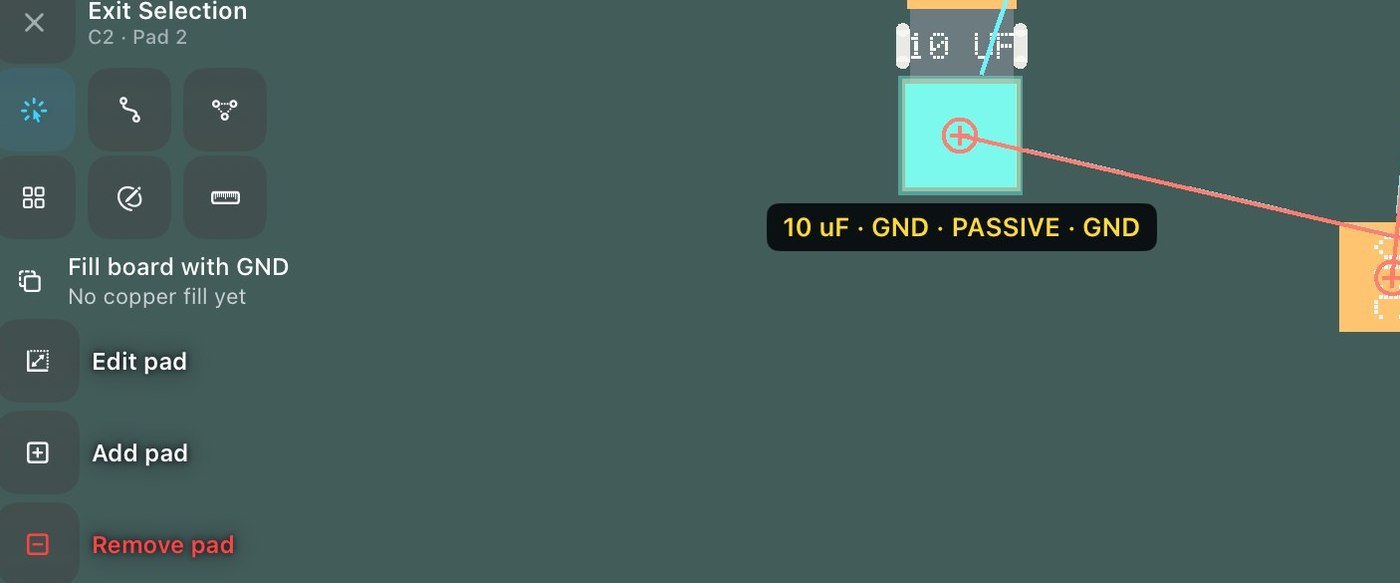
Tap a pad on the net you want (tap once for the part, again for the pad) and take Fill board with GND, or its equivalent for the pad’s net. The preview tells you how many pads it will connect before you commit.
- Any net, not just ground
Pours aren’t ground-only: a 5 V distribution pour or a split analog ground works the same way, keyed off whichever pad you start from.
- Reshape it
Select the pour and drag its corners, finger or Pencil. Priority decides who wins where pours overlap; thermal relief keeps pads solderable by connecting them through spokes instead of a heat-sinking sheet. Both live on the pour’s card.
A pour is computed from your rules and placements, so edits can make it stale. Export recomputes any stale pour. Pours imported from a KiCad file are left exactly as authored.
Limitation: pour cutouts, meaning a hole in a pour that isn’t a keepout, aren’t implemented. If you need one, add a keepout before pouring.