Send it to fabrication
Export asks what you’re ordering, then produces one validated package: Gerbers, drill files, a BOM with LCSC part numbers, and pick-and-place data.
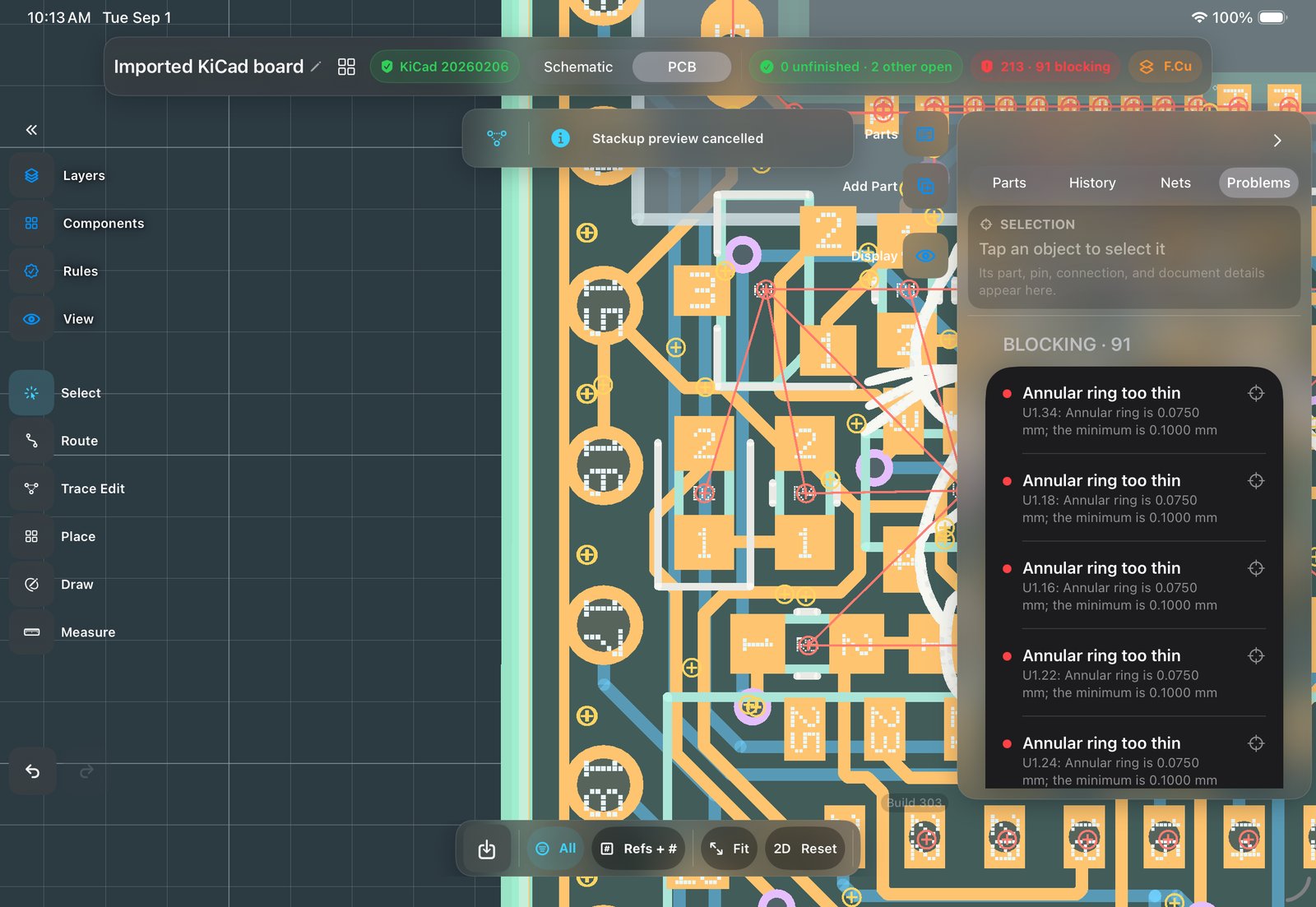
Steps
- Clear the Problems list
DRC has been running the whole time. Anything under “to fix” has a reason and a location. Findings you’ve reviewed can be excluded, reversibly, and every verdict states how many were accepted.
About exclusions: most boards ship with a few findings the engineer has judged acceptable. The risk is forgetting them. Here a verdict always states how many findings were accepted, so “clean” and “clean, with 3 accepted” stay distinct. - Export for Manufacturing
Boards ▸ Export for Manufacturing ▸ Generate. Stale pours are refilled, geometry is validated before any file is written, and open rule findings are shown as warnings so you can decide whether to proceed.
Why pours refill at export: a pour is computed from your rules and placements, so editing can make it stale. Refusing to export would be an obstacle; shipping stale copper would be a defect. The app recomputes stale pours at export instead. - What’s in the ZIP
Per-layer Gerbers, Excellon drill files,
-BOM.csvwith LCSC part numbers, and-CPL.csvplacement data. The ZIP can be uploaded to a board house as-is.Why the BOM carries LCSC numbers: an assembly quote needs exact orderable part numbers, not descriptions.C1525can be quoted directly; “100 nF 0402” can’t. The numbers come from the catalog entries you placed. - Keep the KiCad copy
Export a KiCad copy alongside the package and archive both with the order confirmation.
Keep the KiCad file with the order: Gerbers are what the factory needs; the KiCad file is what you’ll need when rev B starts. Stored together, the design can be reopened, re-checked and revised later, in this app or any other KiCad-compatible tool.