Finish the charger
In part one you built the board and the Problems panel listed six unfinished connections. This part routes them with the auto-router, after reading its preview.
Steps
- Get back to the board
A fresh start works: New Board
30 × 20▸ Add Part ▸TP4054▸ Place All, as in part one. You should see six open connections in the header. - Find Auto-route
Open the right panel’s Nets tab ▸ Preview Auto-route 6. (It also appears in the Route tools whenever connections are open.)
- Read the preview
The router has worked out copper for every open connection and checked it for clearance and crossings. Nothing on the board has changed yet; the sheet is a proposal:
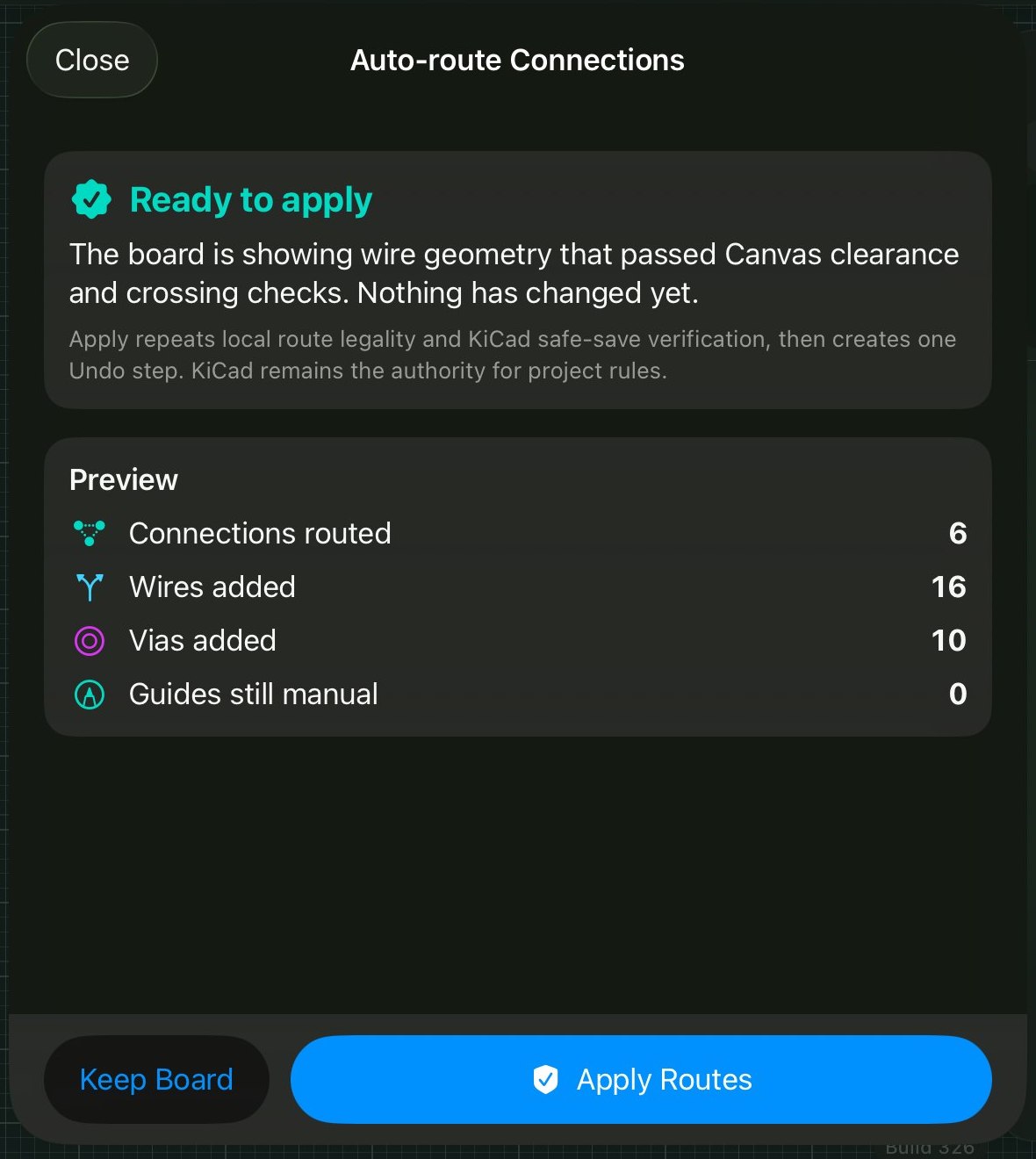
The sheet states what was checked, what applying will re-verify, and that the result lands as one Undo step. What the numbers mean. 6 connections: the six pad pairs Problems listed. 16 wires: a connection becomes several wire segments as it bends and changes layer. 10 vias: a via is a small plated hole joining copper layers, and ten of them means the router dropped to the bottom layer ten times to pass under something. Guides still manual: 0: you haven’t drawn any routing guides that need hand-finishing.When to decline: the auto-router optimises for connected and legal, not for electrical quality. For RF lines, impedance-controlled pairs, or sections the datasheet routes for you (like the radio section in the Heltec build), route by hand or with guides. Keep Board closes the sheet without changing anything. - Apply
Tap Apply Routes. In our run it finished in about four seconds:
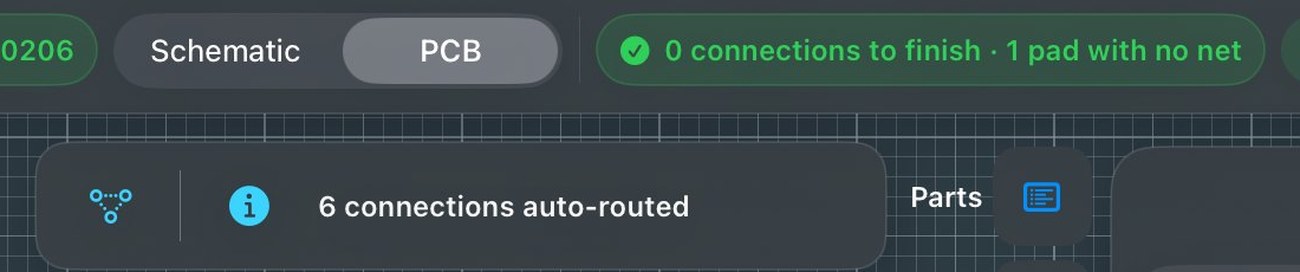
The toast reports what happened, and the header reads 0 connections to finish. 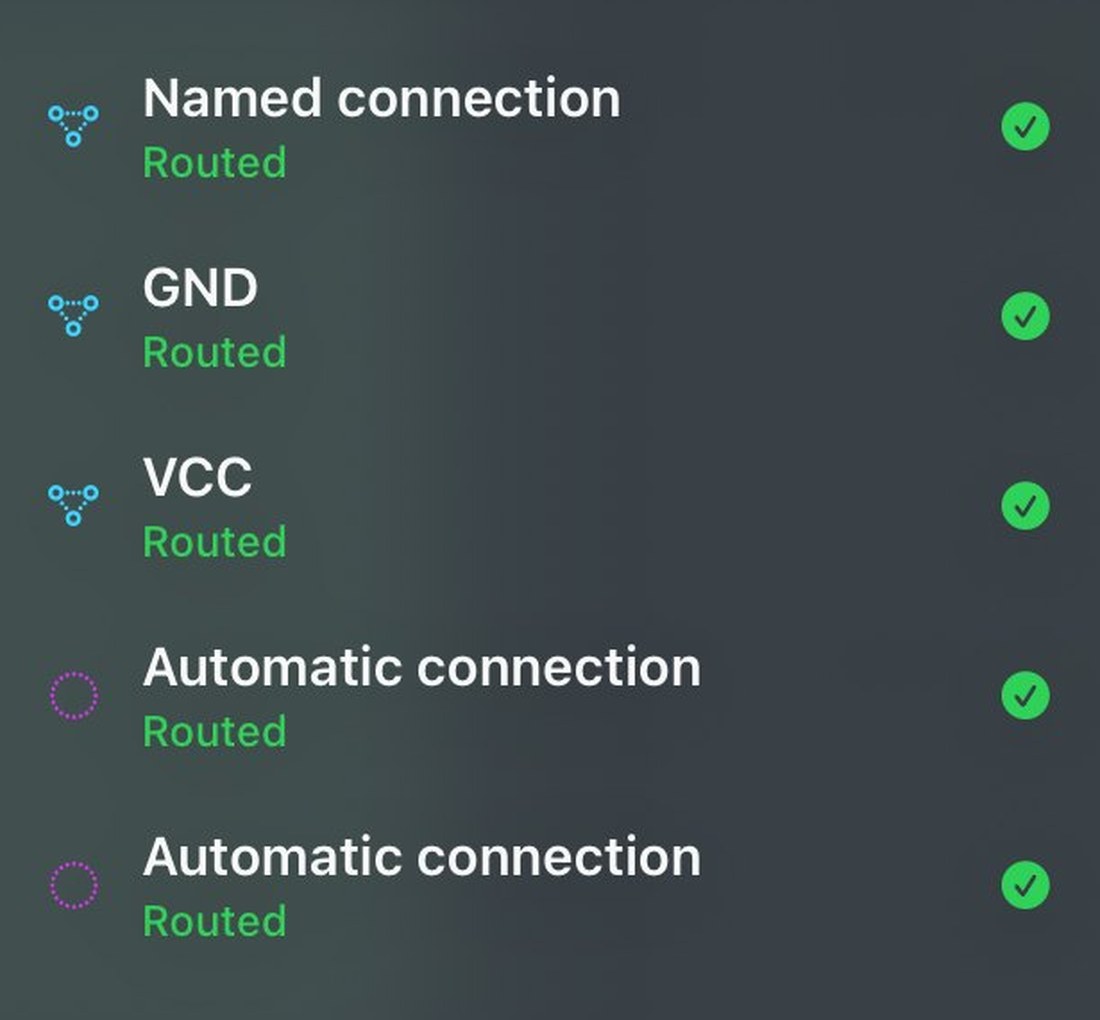
Every net, named and automatic, now reads Routed. Check this list rather than judging by eye. If you don’t like the result: one Undo removes all sixteen wires and ten vias at once. You can preview, apply, inspect and undo as many times as you want. - Check and export
Problems now reads 0. Boards ▸ Export for Manufacturing ▸ Generate produces the files. Total working time in our run was about four minutes.